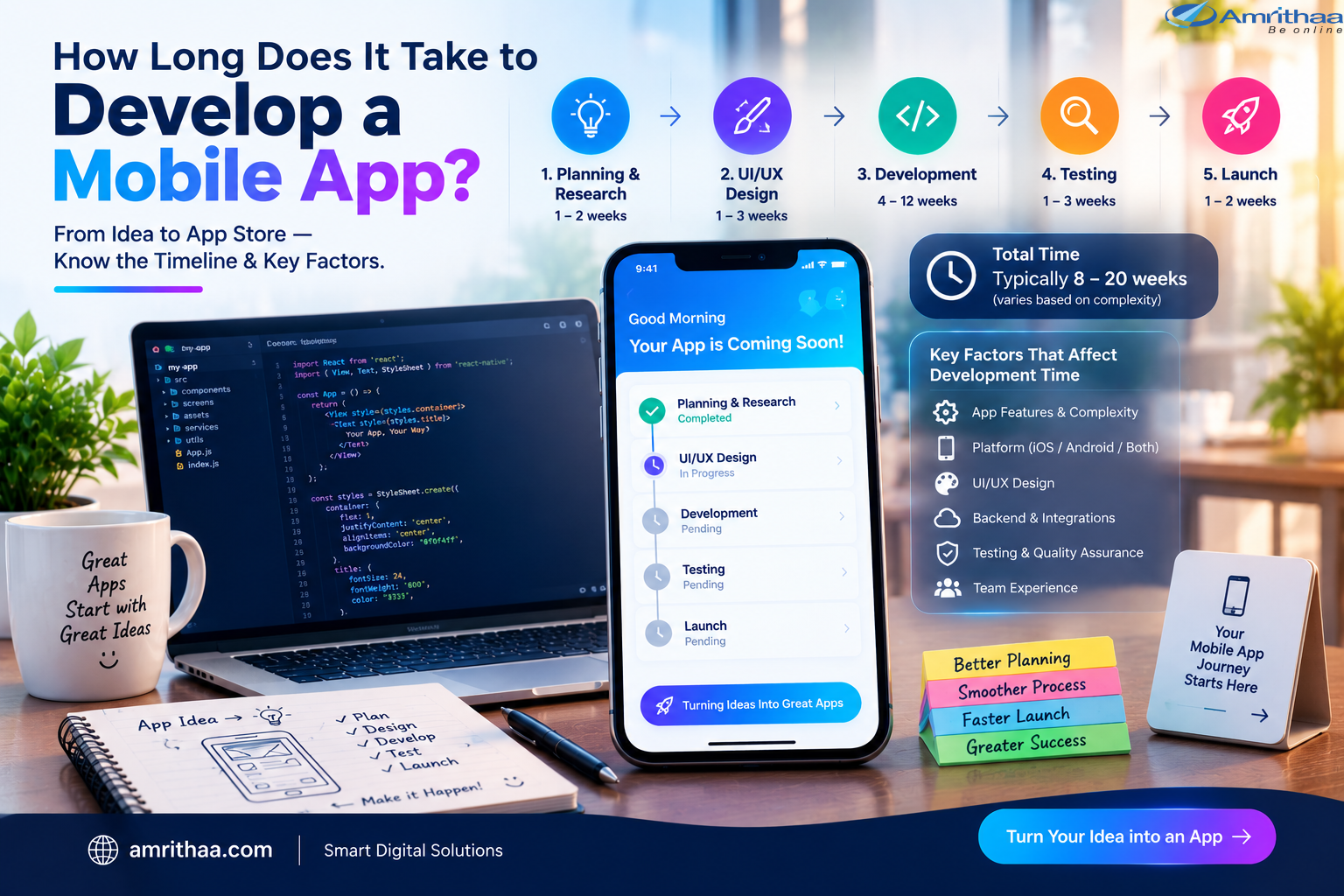
One of the first questions businesses ask when planning a mobile application is: “How long does it take to develop a mobile app?” There is no single answer because development time depends on the app’s features, design, platforms, integrations, backend requirements, testing, and overall complexity.
A simple mobile app may take a few weeks, while a feature-rich business application can require several months. Understanding the development process can help businesses plan their budget, resources, launch strategy, and expectations more effectively.
The development timeline depends mainly on what the application needs to do.
A basic app with a few screens and limited functionality can be developed relatively quickly. A more advanced application with user accounts, payments, real-time communication, location services, dashboards, APIs, and complex backend systems requires significantly more planning and development.
Important factors include:
Defining these requirements before development begins can help create a more realistic timeline.
Mobile app development usually involves several stages.
Typical time: 1–2 weeks
The first stage focuses on understanding the business objective, target users, competitors, required features, and technical requirements.
The development team creates the project scope and determines the major components required for the application.
Good planning can reduce confusion and unnecessary changes later.
Typical time: 1–3 weeks
Designers create wireframes, user flows, prototypes, and visual designs for the application.
This stage determines how users will navigate the app and interact with its features.
A well-planned design can also make the development process smoother because developers have a clear visual and functional reference.
Typical time: 4–12+ weeks
Development is often the longest stage.
It may include frontend development, backend development, database configuration, API integration, authentication, payment systems, notifications, and other features.
The timeline depends heavily on the complexity of the application and whether it needs Android, iOS, or cross-platform development.
For businesses looking for mobile application development and digital solutions, amrithaa.com can help transform business requirements into practical digital products.
Typical time: 1–3 weeks
Before launch, the application needs thorough testing.
Developers and testers check functionality, navigation, performance, security, compatibility, and user experience.
Testing may involve different devices, screen sizes, operating systems, and network conditions.
Finding and fixing issues before launch can help provide a smoother experience for users.
Typical time: 1–2 weeks
Once the application is ready, it needs to be prepared for publication on the relevant app stores.
This stage can include creating store listings, preparing screenshots and descriptions, configuring app information, completing final checks, and submitting the application for review.
The exact timeline can vary depending on the platform and whether additional changes are required.
While every project is different, a general estimate can be useful:
| App Type | Approximate Development Time |
| Simple app | 4–8 weeks |
| Medium-complexity app | 8–16 weeks |
| Complex business app | 16–24+ weeks |
| Advanced platform/app ecosystem | 6+ months |
These are general planning ranges rather than fixed deadlines. A detailed project scope is needed to estimate a specific application accurately.
Businesses can take several steps to avoid unnecessary delays.
First, define the core features before development starts. Avoid continuously adding new requirements during development unless they are essential.
Creating an MVP (Minimum Viable Product) can also help. Instead of building every planned feature at once, launch the essential version first, gather feedback, and gradually introduce additional functionality.
Clear communication between the business, designers, and development team is equally important.
Providing content, branding materials, API details, product information, and business rules early can help prevent unnecessary waiting during development.
So, how long does it take to develop a mobile app? A simple application may take around a month or two, while a more complex business application can take several months.
The actual timeline depends on the app’s features, design, technology, integrations, platforms, testing requirements, and project scope.
The best approach is to focus on building a clear product roadmap rather than rushing toward a launch date. Good planning, a focused MVP, effective communication, and structured testing can help create a smoother development process.
If you are planning to transform a business idea into a mobile application, amrithaa.com provides modern digital solutions designed around business requirements.
👉 Turn your idea into a practical digital product. Visit amrithaa.com to explore mobile app development solutions.