Excel is one of the most useful tools for small businesses. It is affordable, familiar and flexible enough to manage everything from customer lists and sales records to inventory and financial calculations.
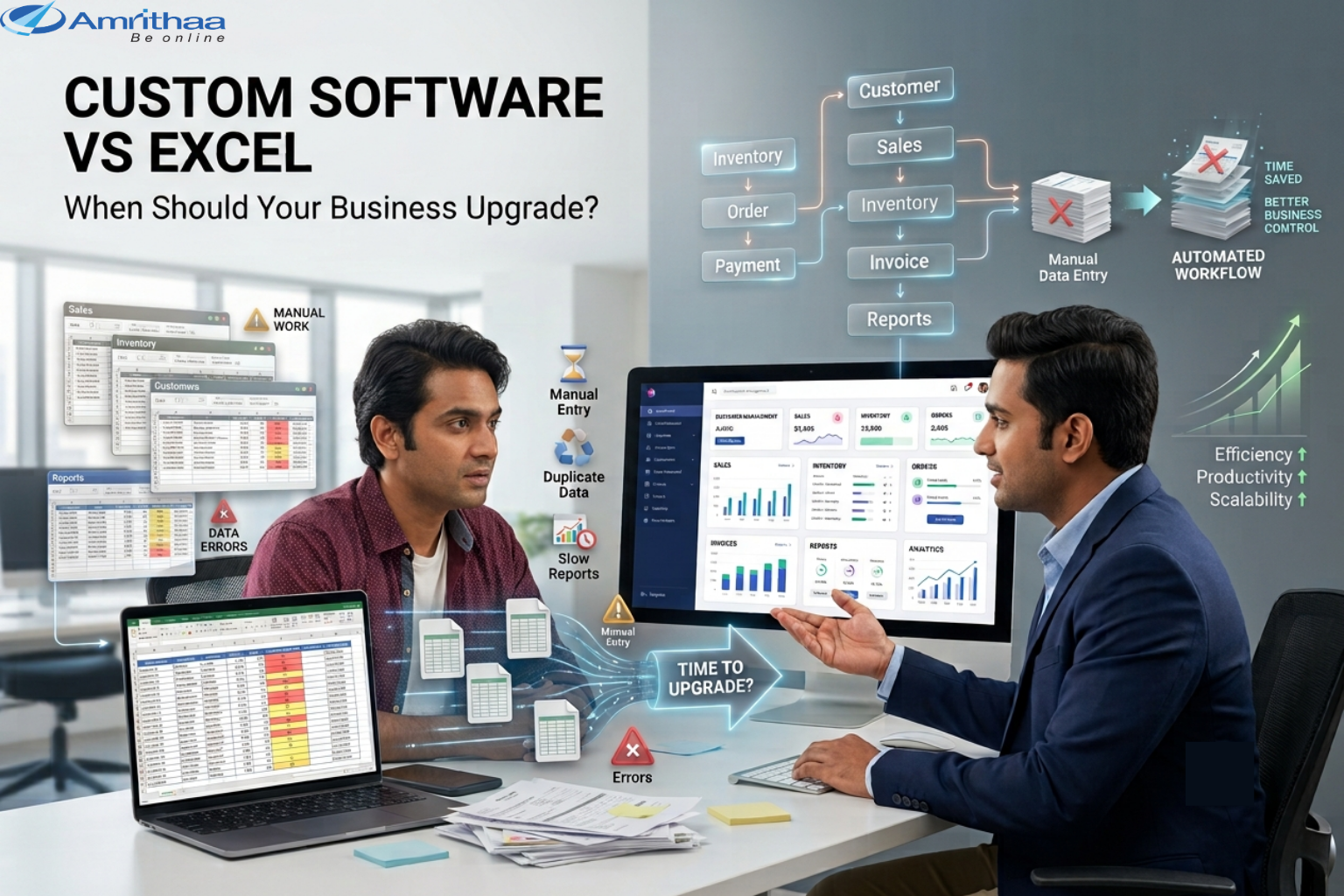
But as a business grows, Excel spreadsheets can become increasingly difficult to manage. Multiple files, manual data entry, duplicate information and complicated formulas can slow down daily operations.
This raises an important question: When should a business move from Excel to custom software?
The answer depends on the complexity of your processes, the number of users, the amount of data and how much time your team spends managing information.
Excel works well when business processes are relatively simple.
A small business might use spreadsheets for:
For a small operation with limited data and only a few users, Excel can be an effective solution.
Custom software, however, is designed around the specific workflows of a business. Instead of employees manually moving information between different spreadsheets, software can connect processes and automate repetitive activities.
For example:
Customer Enquiry → Customer Database → Sales Follow-Up → Order → Invoice → Payment → Report
A custom system can bring these activities into one centralized platform.
The goal isn’t necessarily to replace Excel immediately. The goal is to recognize when Excel is no longer supporting the way your business operates.
One of the clearest signs is too much manual work.
If employees spend hours copying information from one spreadsheet to another, entering the same data repeatedly or creating reports manually, your business may benefit from automation.
Another warning sign is having multiple versions of the same file.
For example:
Sales.xlsx
Sales-New.xlsx
Sales-Final.xlsx
Sales-Final-Updated.xlsx
This can make it difficult to determine which information is accurate.
Businesses should also reconsider Excel when:
When these problems become regular, the cost of staying with manual spreadsheets can become greater than the cost of upgrading.
Custom software becomes valuable when a business needs its technology to follow its unique workflow.
For example, a distribution company may need:
Purchase → Inventory → Warehouse → Sales → Delivery → Payment
A service company may require:
Enquiry → Appointment → Staff Assignment → Service → Invoice → Customer Follow-Up
Instead of maintaining separate spreadsheets for every stage, a custom application can connect these processes.
Custom software can automate repetitive tasks such as notifications, calculations, status updates and report generation.
Instead of storing information across multiple Excel files, businesses can manage data through a centralized system.
Different employees can receive access based on their responsibilities.
Management can view dashboards and reports without waiting for employees to manually combine spreadsheet data.
As the business grows, software can be expanded with additional features, users and integrations.
Moving from Excel to custom software is an investment, so businesses should make the decision based on actual requirements.
Start by asking five questions:
1. How much time is spent managing spreadsheets?
Calculate the number of employee hours spent entering, checking and preparing data.
2. How often do errors occur?
Frequent duplicate records, incorrect formulas or outdated information can create operational costs.
3. How many people need access?
If many employees need to work with the same information simultaneously, a centralized system may be more suitable.
4. Are your processes becoming more complex?
If your business requires multiple connected workflows, spreadsheets may become difficult to maintain.
5. Will the business grow?
Consider future requirements such as mobile applications, customer portals, inventory systems, payment integration, CRM functionality and analytics.
The decision should be based on business value—not simply technology trends.
Businesses don’t necessarily need to abandon everything they currently use.
A practical approach can be to identify the most problematic spreadsheet process and gradually replace it with a digital system.
For example:
Excel Inventory → Custom Inventory Management
Later, the business could connect inventory with:
Orders → Website → Payments → Delivery → Reports
This gradual approach can make digital transformation more manageable.
At Amrithaa, businesses can discuss their existing workflows and explore website development, custom software, eCommerce development and mobile application solutions based on their operational requirements. Visit amrithaa.com to explore digital solutions.
Excel remains an excellent tool for simple business operations. The problem begins when spreadsheets become difficult to control, maintain and scale.
If your team spends too much time on manual data entry, reports, duplicate files or disconnected processes, it may be time to consider custom software.
The right upgrade should make your business more organized, efficient and scalable.
At amrithaa.com, businesses can get guidance on choosing and developing digital solutions that match their current operations and future growth.
👉 Still managing critical business operations through multiple Excel files? Contact Amrithaa to discuss whether custom software is the right next step for your business.